
How to create Multiple wishlistsUpdated 2 months ago
Save products to multiple wishlists
Wysh lets customers create and manage more than one wishlist. This is useful when they want to organise saved products into separate lists, such as gifts, personal favourites, or different projects.
When a customer has only one list, the storefront uses the label My Wishlist. After they create more than one wishlist, that area is renamed to My Lists.
INFO
Customers create extra lists from the My Wishlist page using Create New List.
Create a new wishlist
- Open the wishlist page
Go to the storefront wishlist page. If the customer only has one list, it appears as My Wishlist. - Select Create New List
On the wishlist page, click Create New List. - Start using the new list
After the new list is created, the customer can save products to that specific list and switch between lists from the wishlist area.
NOTE
Once a customer has more than one wishlist, the page label changes from My Wishlist to My Lists.
Choose a wishlist from a product page
On product pages, the standard wishlist action changes when multiple wishlists are available.
The customer uses the Add to wishlist action on the product page.
Instead of saving to a single default list automatically, the wishlist control shows a drop-down.
The customer can choose which wishlist the product should be added to.
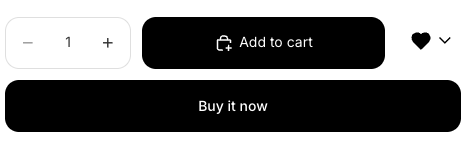
This makes it easier to keep saved items organised without needing to move them later.
What changes for customers
One list: the storefront shows My Wishlist.
More than one list: the storefront shows My Lists.
Product pages: the wishlist button includes a drop-down so the customer can choose the correct list.
TIP
If a customer wants to separate saved items by occasion or category, have them create multiple lists first from My Wishlist, then choose the right list directly from each product page.
Related wishlist actions
Customers can still use the existing wishlist experience alongside multiple lists, including the storefront wishlist page and Share Wishlist where available.