
How to save products to a wishlistUpdated 2 months ago
Save products for later
Customers can save products they are not ready to buy yet by adding them to My Wishlist. On the product page, the wishlist icon appears beside the main purchase actions, including Add to cart and Buy it now.
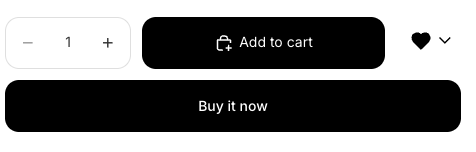
How customers add an item to their wishlist
- Sign in to your account
Customers should sign in to their store account before saving wishlist items so their saved products are linked to them for later. - Open a product page
From the storefront, open the product you want to save. - Select the wishlist icon
On the product page, click the wishlist icon next to Add to cart and Buy it now. This saves the product to My Wishlist instead of adding it to checkout right away. - Repeat for more products
Customers can visit other product pages and use the same wishlist icon to build up a saved list for a future purchase. - Review saved items in wishlist
When ready, open My Wishlist by clicking the wishlist icon in the header to see saved items, prices, and product-level Add to cart buttons.
What customers can do from My Wishlist
After saving products, customers can use the wishlist page to manage or act on those items later.
Add to cart to move an individual saved item toward checkout
Share Wishlist to send the saved list to the store
TIP
If a customer is still comparing products, the wishlist is a good way to keep options in one place without committing to checkout yet.
When to use the wishlist instead of buying now
When a customer wants to come back and purchase later
When they are comparing several products before deciding
When they want to save ideas in one place before sharing them
Important notes
WARNING
If a customer is not signed in, saved items may not be tied to their account in the same way. For the most reliable wishlist experience, ask customers to sign in first.
FAQ
Where is the wishlist icon on the product page?
It appears beside the main purchase actions on the product page, next to Add to cart and Buy it now.
Does saving to a wishlist start checkout?
No. Saving with the wishlist icon adds the product to My Wishlist. It does not start checkout.
Can customers buy items later from the wishlist?
Yes. On My Wishlist, each saved item can show its own Add to cart button so the customer can purchase when ready.
Can customers share their saved items?
Yes. Customers can use Share Wishlist from My Wishlist to send their saved list to the store.